
Getting TerrainStudio running takes a couple of minutes: install it, paste in the license key from your purchase email, and you're capturing. Here's everything, for both Mac and Windows.
• Mac: macOS 15 Sequoia or later, on Apple Silicon (M1 or later)
• Windows: Windows 10 or 11, 64-bit
• An internet connection. Map data is fetched live, so TerrainStudio works online.
1. Open the .dmg you downloaded.
2. Drag Skylab 5 TerrainStudio onto the Applications folder in the same window.
3. Open it from your Applications folder.
TerrainStudio is signed and notarized by Apple, so the most you'll see is macOS's usual question about opening something downloaded from the internet.
1. Extract the .zip to a folder on your computer's own drive, for example C:\Program Files\Skylab 5 TerrainStudio.
2. Open Skylab 5 TerrainStudio.exe.
3. The first time, Windows may show "Windows protected your PC". Click More info, then Run anyway. Windows shows this for new apps it hasn't seen much of yet.
Run it from a local drive, not a network or shared folder. The map viewer can't load from a network location, so you'd get everything except the map. TerrainStudio tells you if that's where it's running from.
The first time TerrainStudio opens, it asks for the license key from your purchase email. Paste it in and click Activate.
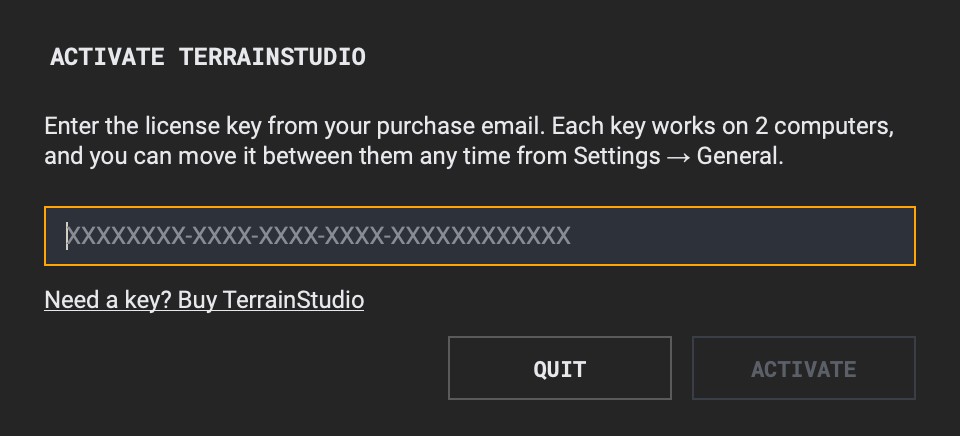
Each key works on two computers at a time, say a desktop and a laptop. If you need it on a different computer, open Settings → General on the old one and choose Move to Another Computer, then activate on the new one.
To confirm your license, TerrainStudio sends your key and this computer's name to Lemon Squeezy, my store, when you activate and about every two weeks after that. It keeps working for 30 days without a connection.
When there's a new version, download it again from your order page (the Manage License & Download link in your purchase email). On a Mac, drag the new app into Applications and replace the old one. On Windows, replace the old folder with the new one. Your license and settings stay as they were, so there's nothing to re-enter.
Before you remove TerrainStudio from a computer for good, open Settings → General and choose Move to Another Computer. That frees the seat for your next machine. Then drag the app to the Trash on a Mac, or delete the folder on Windows.
TerrainStudio works straight out of the box, but a few free accounts unlock more sources. The API Keys page walks through each one.
Getting Your API Keys →Questions? Email me at studio@skylab5.com.
